Underwater color correction
Fix blue underwater photos and videos in one tap.
The deeper you dive, the more color the water takes. Into the Blue puts the reds, oranges and yellows back into whole batches of photos and videos, right on your phone.
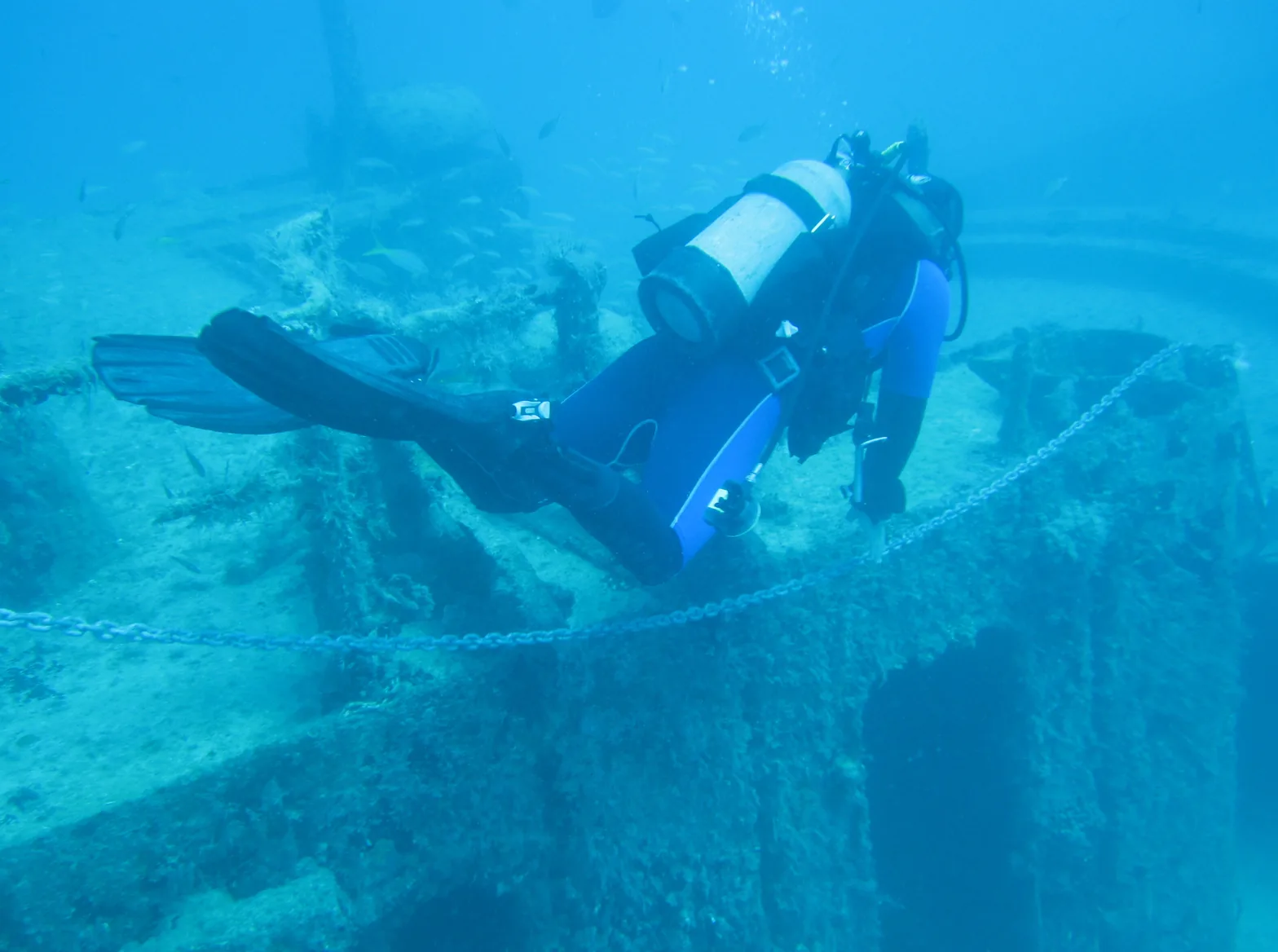
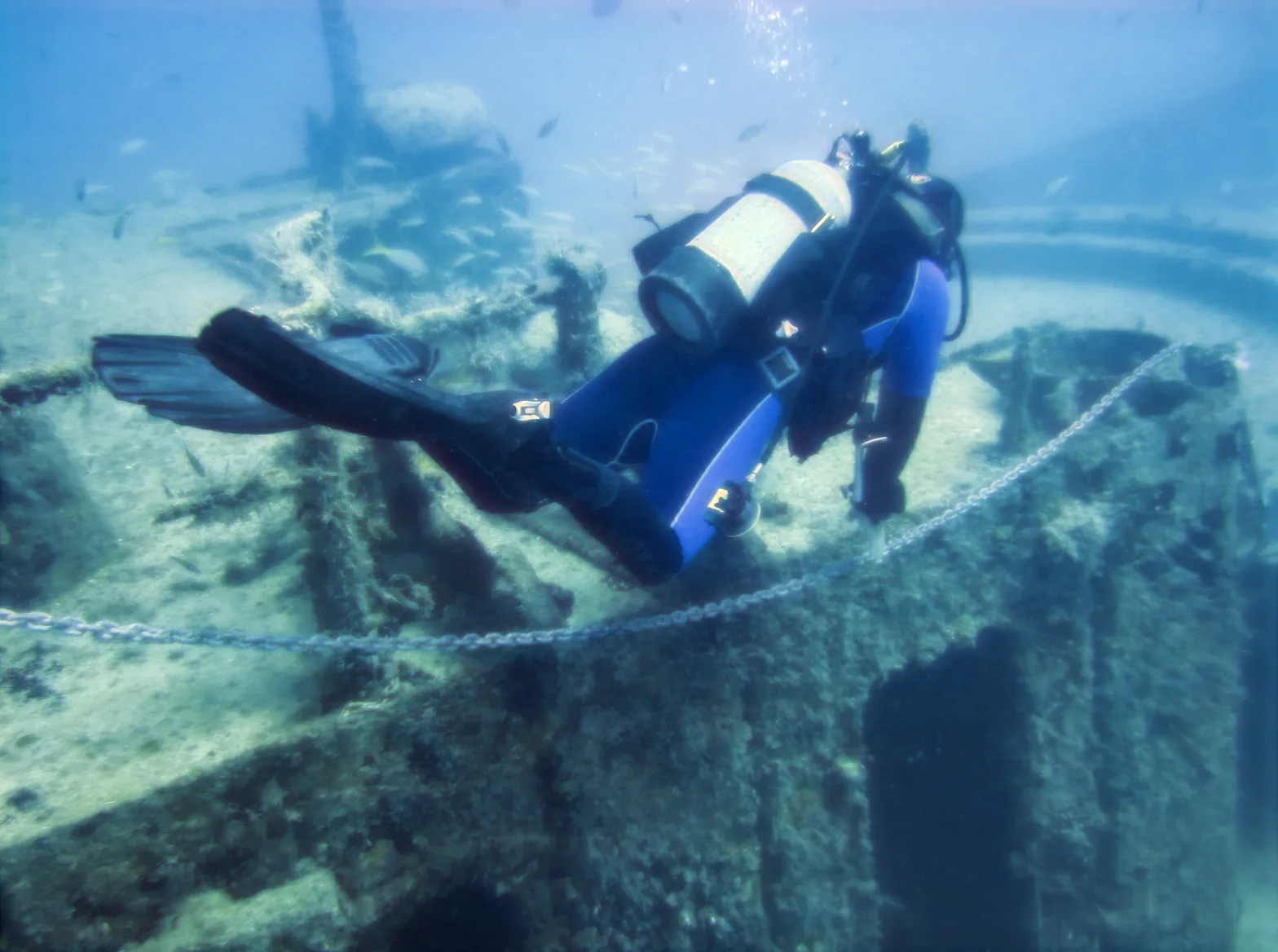
Photo: Patty Ho, CC BY 2.0 · corrected with Into the Blue, untouched otherwise
The science
Why your underwater photos look blue.
Water absorbs light one color at a time. Red goes first and is almost gone by 5 meters, then orange and yellow. Past 30 meters only green and blue are left, so the camera records a scene washed in teal, even when the reef looked bright to your eyes.
Strobes and red filters help, but only close to the subject and only in a narrow depth range. Correcting afterwards works on every shot you already have, from a GoPro, a compact camera or a phone in a housing.
How deep each color reaches
Approximate depth at which sunlight of each color is mostly absorbed in clear ocean water.
- Red~5 m · 16 ft
- Orange~15 m · 50 ft
- Yellow~25 m · 80 ft
- Green40 m+ · 130 ft+
- BlueDeepest of all
How it works
From washed-out to true color in three steps.
Pick your shots
Select up to 30 photos and videos from your gallery at once: a whole dive, straight off the boat.
Let the AI restore the color
A model trained on underwater images estimates what each shot lost and puts it back. Compare before and after, set the strength, and fine-tune warmth, tint, exposure, contrast and saturation.
Save them all
One tap saves every corrected photo and video to your gallery, next to the originals, which are never changed.
Built for divers
Made for the light below the surface.
Nothing leaves your phone
Correction runs entirely on your device. Your photos and videos are never uploaded, and it works with no signal on the dive boat.
Videos too
One correction is worked out for the whole clip, so the color stays steady from frame to frame instead of flickering. What you preview is what you save.
Whole batches
Correct an entire dive at once, with an honest time estimate while it saves and a stop button if you change your mind.
Detail kept
The model changes color, not detail. The correction is carried onto your full-size photo, so it stays sharp, up to 12 megapixels.
You stay in control
Subtle or strong, per photo. Then warmth, tint, exposure, contrast and saturation for the shots that need a little more.
Free to use
Color correction is free for everyone, no account needed. Free exports carry a small Into the Blue watermark; Pro removes it.
Color correction, answered.
Why do underwater photos look blue or green?
Water absorbs the long wavelengths of sunlight first. Red is mostly gone within about 5 meters, orange and yellow follow, and below about 30 meters almost only blue and green light remains. The camera records that light faithfully, which is why the scene comes out blue-green.
How do I fix blue underwater photos on my phone?
Open Into the Blue, go to color correction and select your photos or videos. The app corrects them automatically; adjust the strength if you like, then tap “Save all to gallery”.
Is the underwater color correction free?
Yes. Anyone can use it, even without an account. Exports on the free plan carry a small Into the Blue watermark in the corner; Into the Blue Pro saves them without it.
Does it work on underwater videos?
Yes. The app works out one color correction for the whole clip and applies it to every frame, so the color doesn’t flicker as the scene changes. Longer videos take longer to save, and the app shows how much time is left.
Are my photos uploaded anywhere?
No. The AI model runs on your phone. Your photos and videos are never sent to a server, and nothing is stored in the app: the corrected copies go straight to your gallery.
Does it work with GoPro and other cameras?
Yes. It works with any photo or video in your phone’s gallery, whether it was shot on a GoPro, a compact or mirrorless camera, or a phone in an underwater housing. Copy the files to your phone first.
Do I still need a red filter or strobes?
They still help: light you capture at the scene always beats light you restore later, and strobes bring back color that is truly gone at depth. But for shots taken without them, or with the wrong filter for the depth, color correction gets you most of the way.
Will it change my original photos?
Never. The app saves corrected copies next to your originals, which stay exactly as they were.
Bring back the colors you saw.
Free on iPhone and Android. Correct your next dive in minutes.
 Get the app
Join 5,000+ divers and snorkelers


